
Portal news
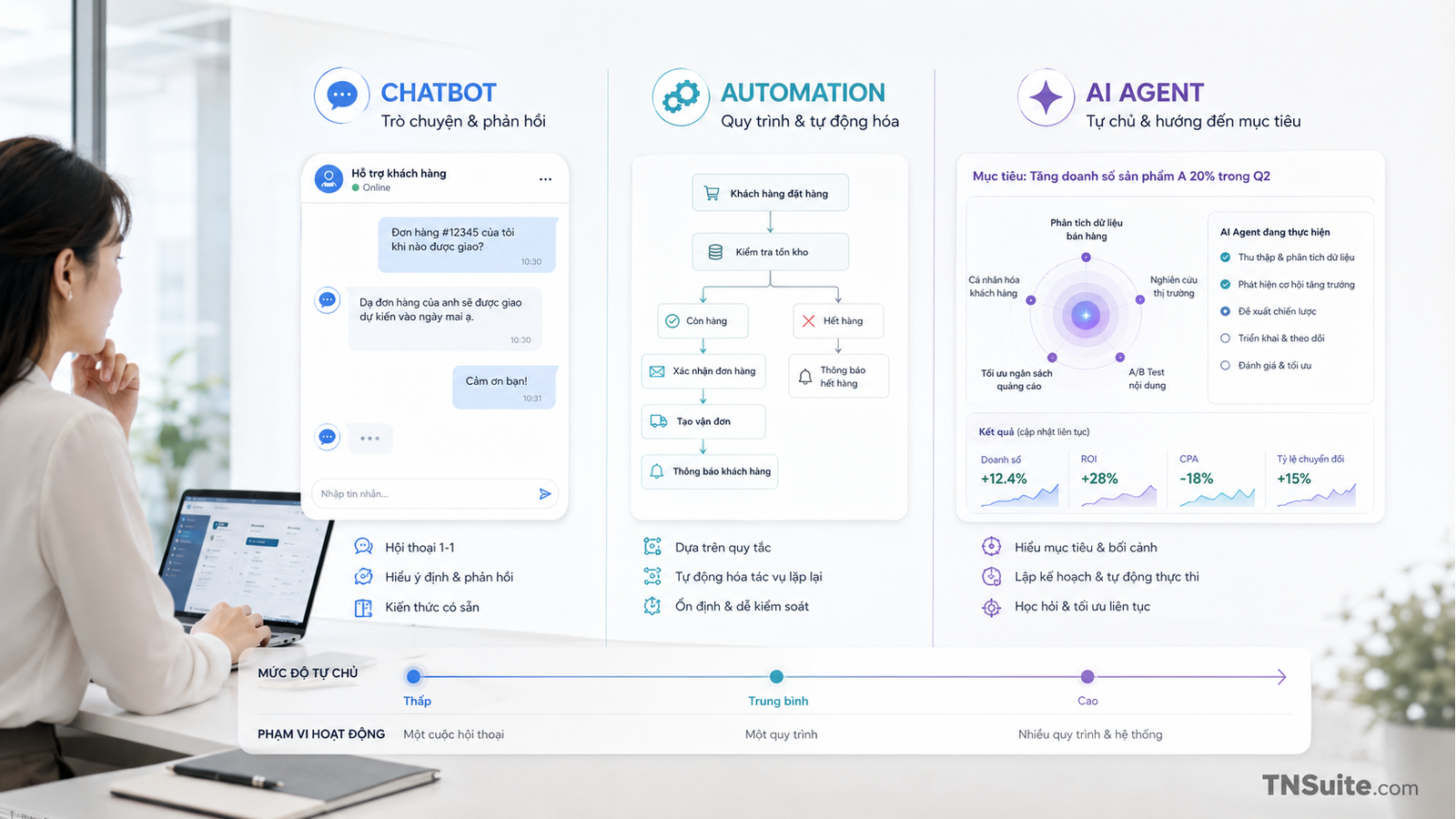
What is an AI Agent? How is it different from chatbots and automation?
Explaining the differences between chatbots, automation, and AI Agents; when to use each model, the necessary control layers, and how to avoid over-automation.
Explaining the differences between chatbots, automation, and AI Agents; when to use each model, the necessary control layers, and how to avoid over-automation.
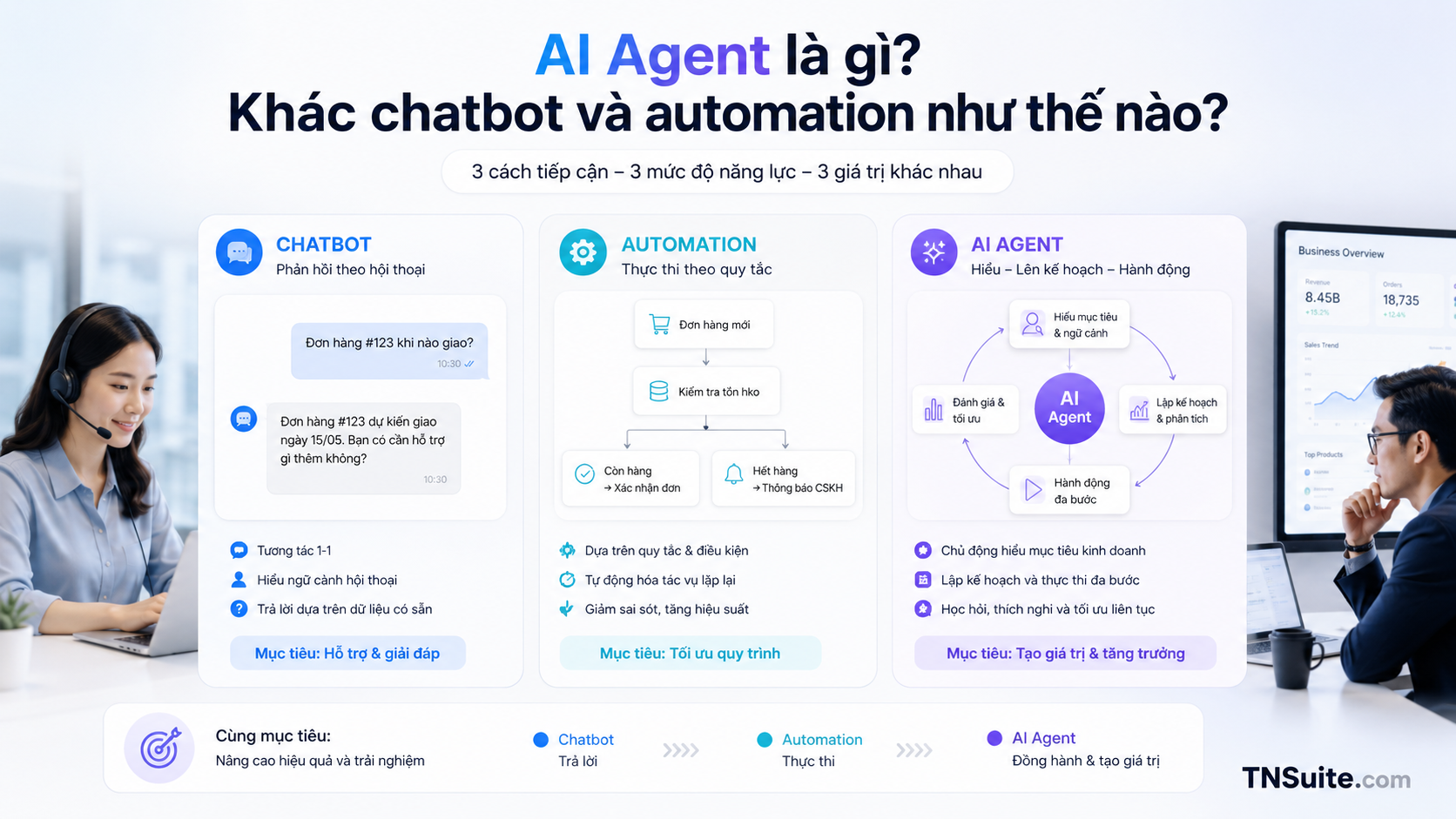
Chatbot: Focus on Conversation
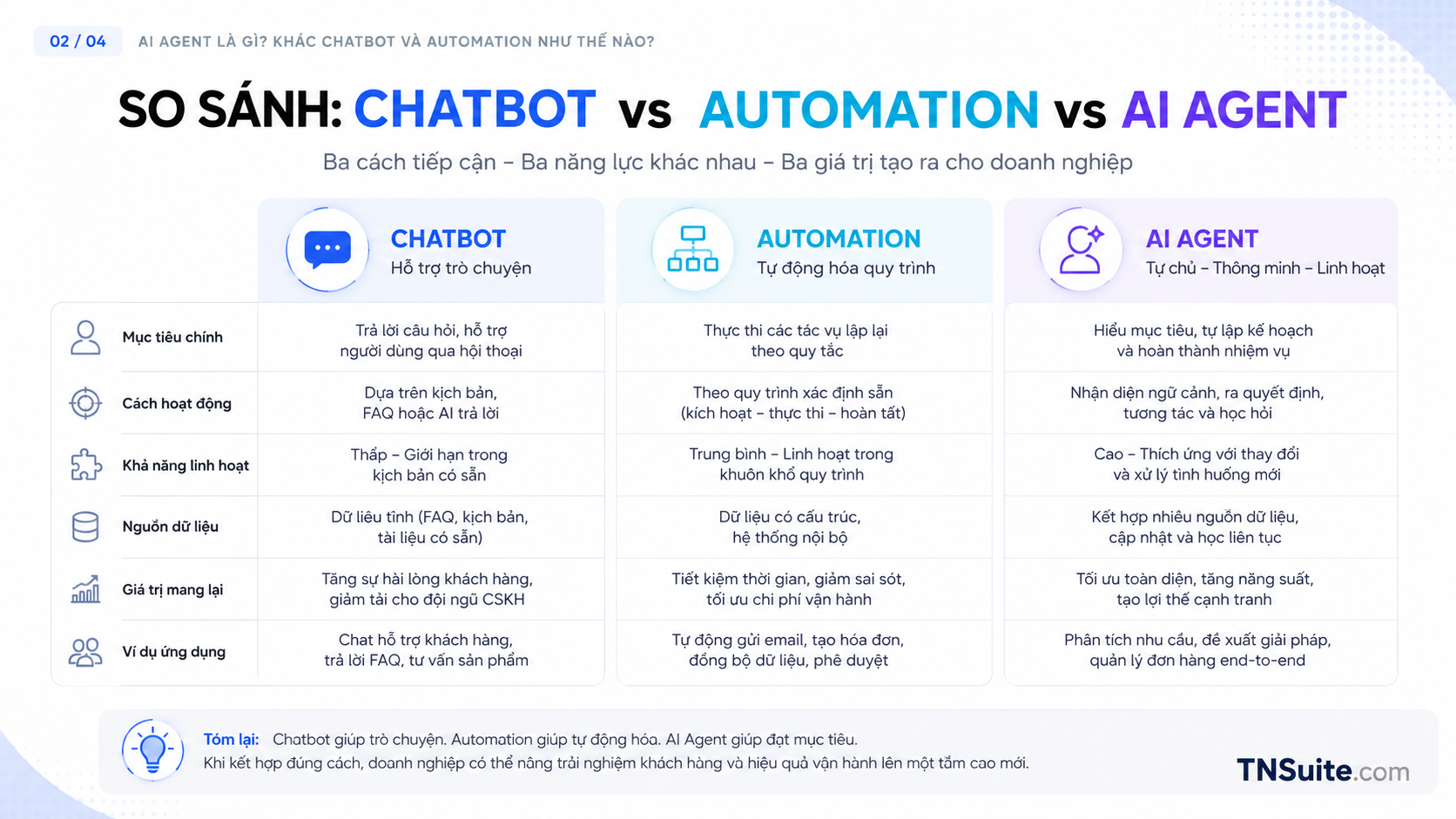
Chatbots are suitable for Q&A, explanations, inquiries, and information gathering. Calling an API does not automatically turn a chatbot into an agent.
- Q&A
- Inquiry
- Guidance
- Collecting briefs
Automation: Predefined Processes
Automation runs based on defined triggers, conditions, and actions. It is stable and easy to test but difficult to handle ambiguous situations.
- Trigger
- Condition
- Action
- Error path
AI Agent: Goals, Plans, and Tools
An agent receives goals, selects steps, and uses tools within the granted scope. High adaptability comes with greater risks.
- Goal
- Planning
- Tool use
- State
- Evaluation
Choose the simplest model
Not every task requires an agent. A stable process should start with automation; agents are suitable for multi-step goals and variations.
- Chat for communication
- Automation for rules
- Agent for limited decision-making
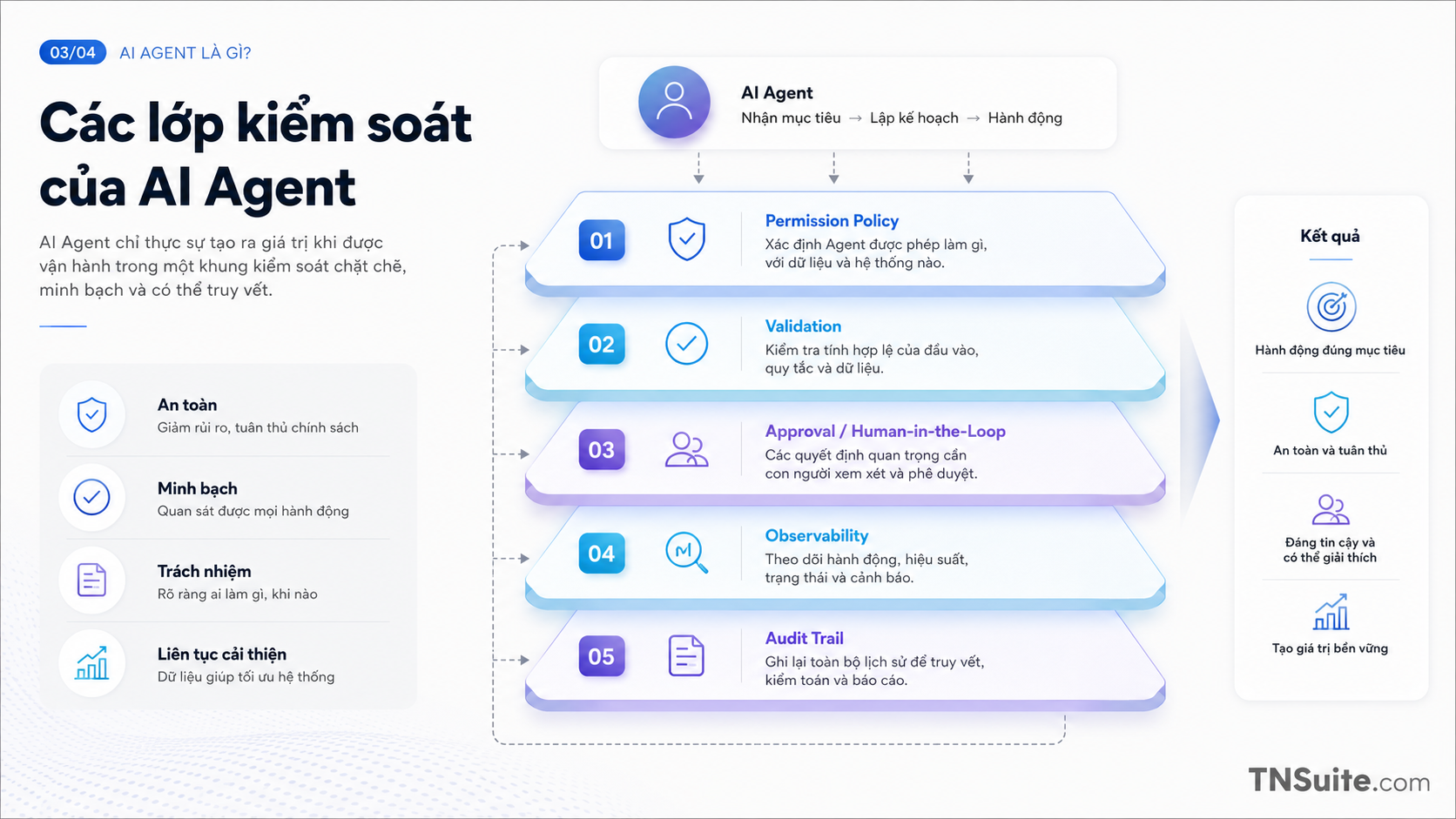
Mandatory control layer
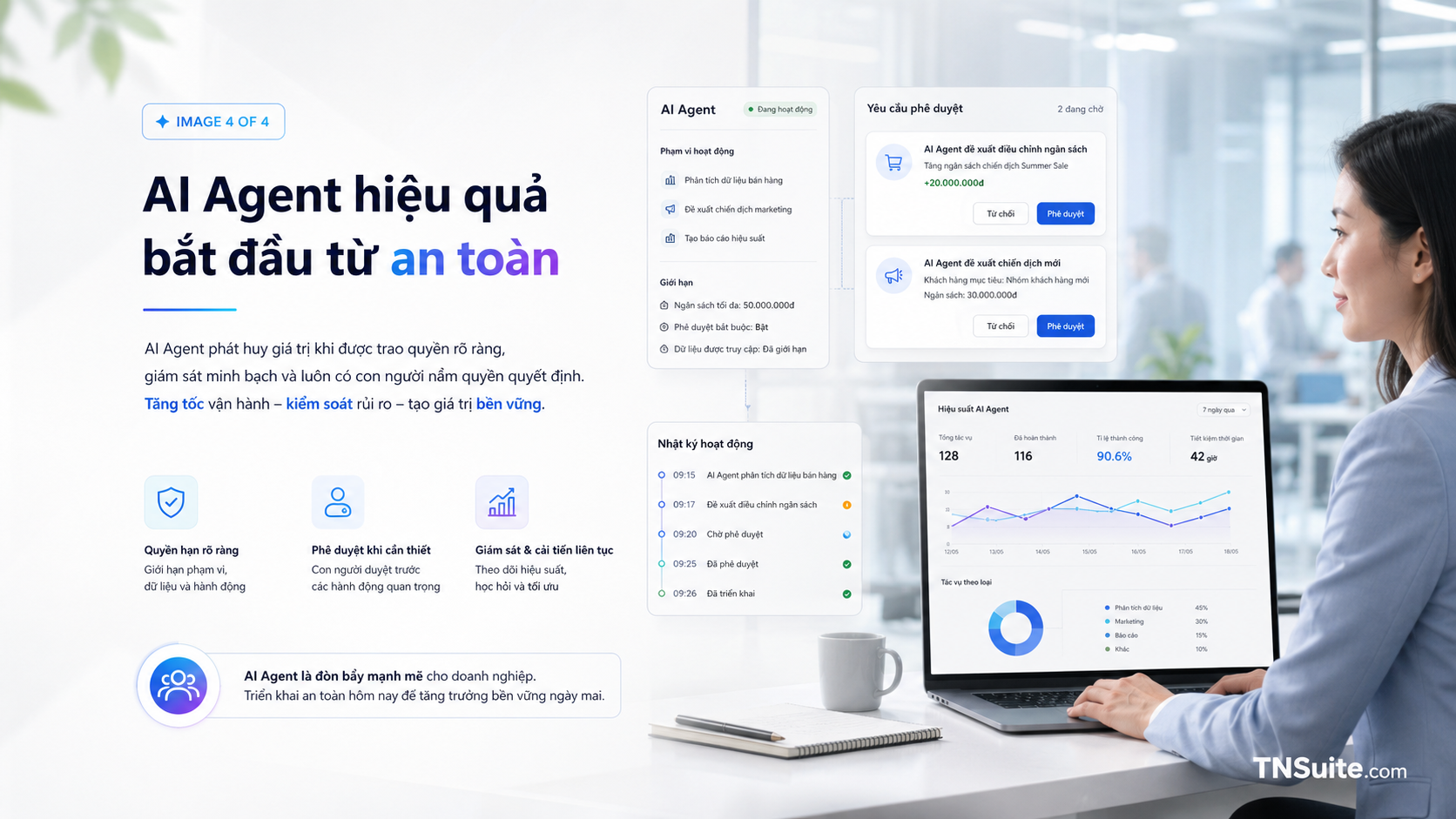
Agents should go through a tool gateway or action broker to check permissions, validation, rate limits, and logs.
- Permission policy
- Approval
- Validation
- Audit log
- Rollback
How to start safely
Start with read-only or recommendation, then gradually open permissions based on effectiveness evidence.
- Assist
- Recommend
- Execute with approval
- Bounded autonomy
Practical Checklist
Frequently Asked Questions
Is a chatbot that calls APIs an agent?
Not necessarily; it could just be a chatbot with tools following a fixed flow.
Should an agent send emails or make payments on its own?
Only when it has the appropriate permissions, validation, approval, and audit.
Do small businesses need an agent?
They might, but should start with a narrow workflow.
Conclusion
An agent does not just respond; an agent can plan and use tools, thus requiring permission, approval, evidence, and clear limits.
Start with a small scope, have an owner, set completion criteria, and have a measurement method. This approach helps turn knowledge into verifiable operational changes.
Next Steps for Implementation
Choose a process and mark which steps are rules, which steps require judgment, and which steps need approval.
View more expert articlesKeywords


Discussion
Your thoughts
There are no comments yet. Be the first to share your thoughts on this article.