Thiết kế
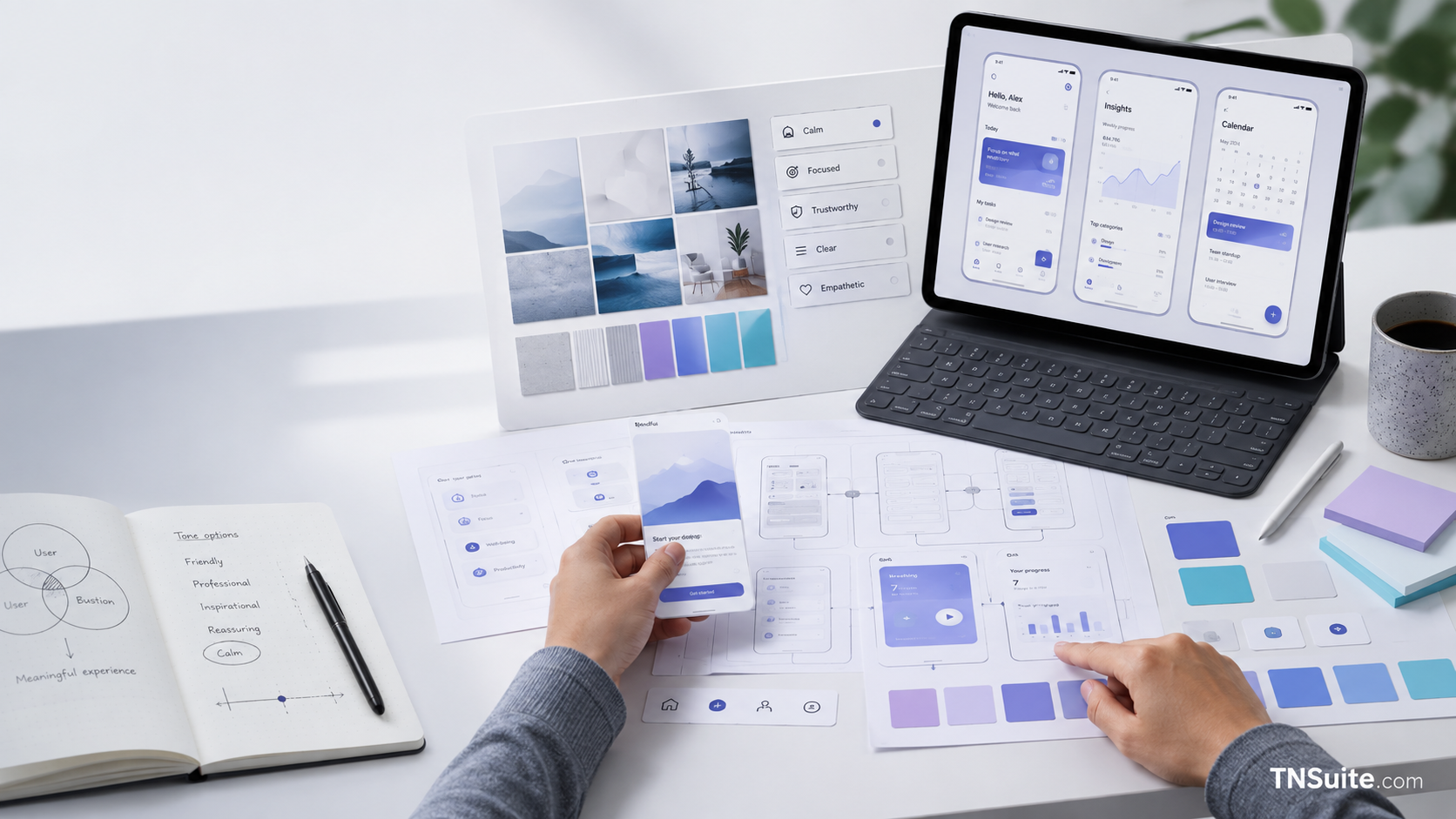
How to find the appropriate mood and tone for a digital product
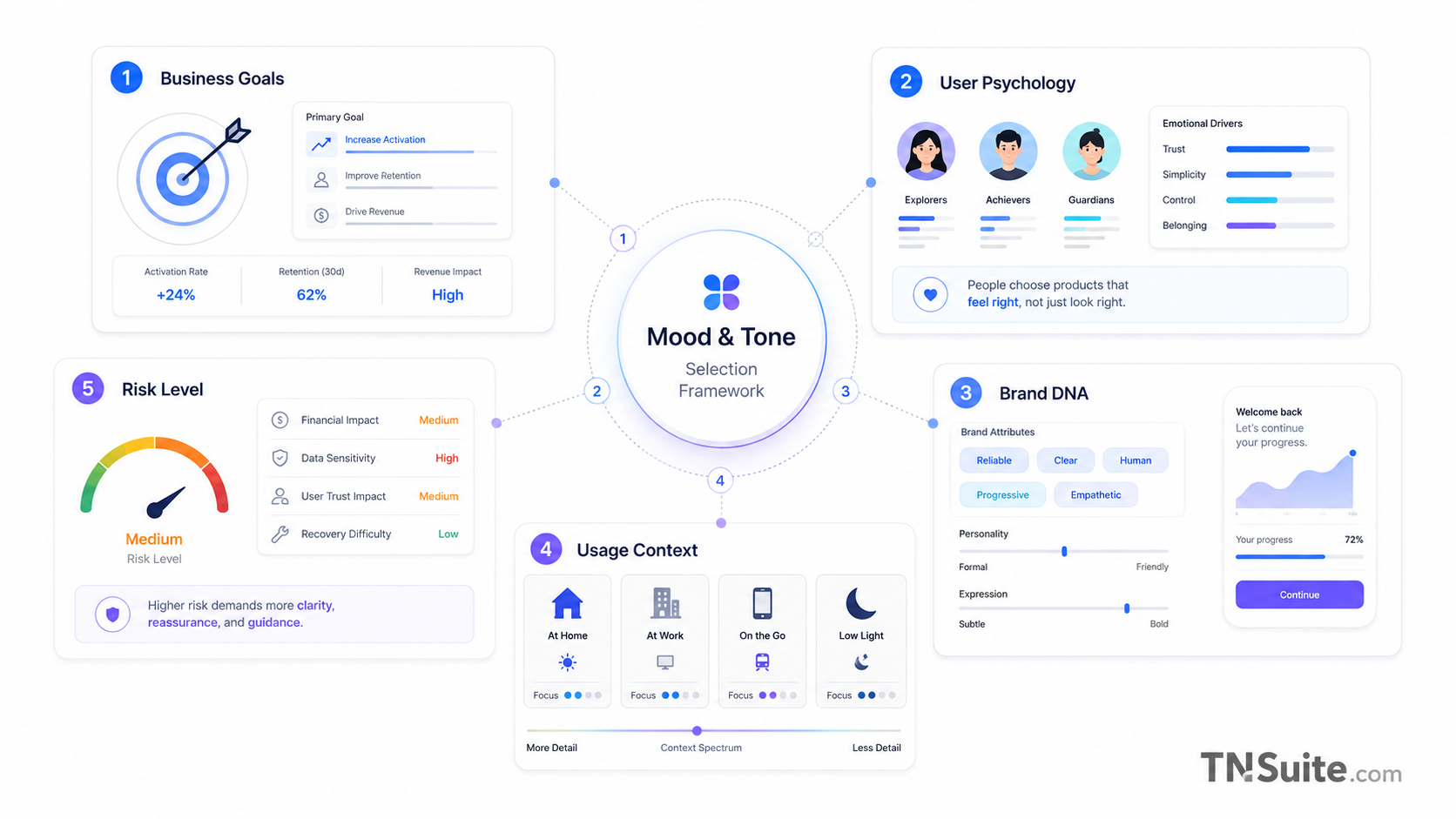
The framework defines mood and tone based on business objectives, user psychology, brand DNA, usage context, and risk level.
The framework determines mood and tone based on business goals, user psychology, brand DNA, usage context, and risk level.
Distinguishing Mood and Tone
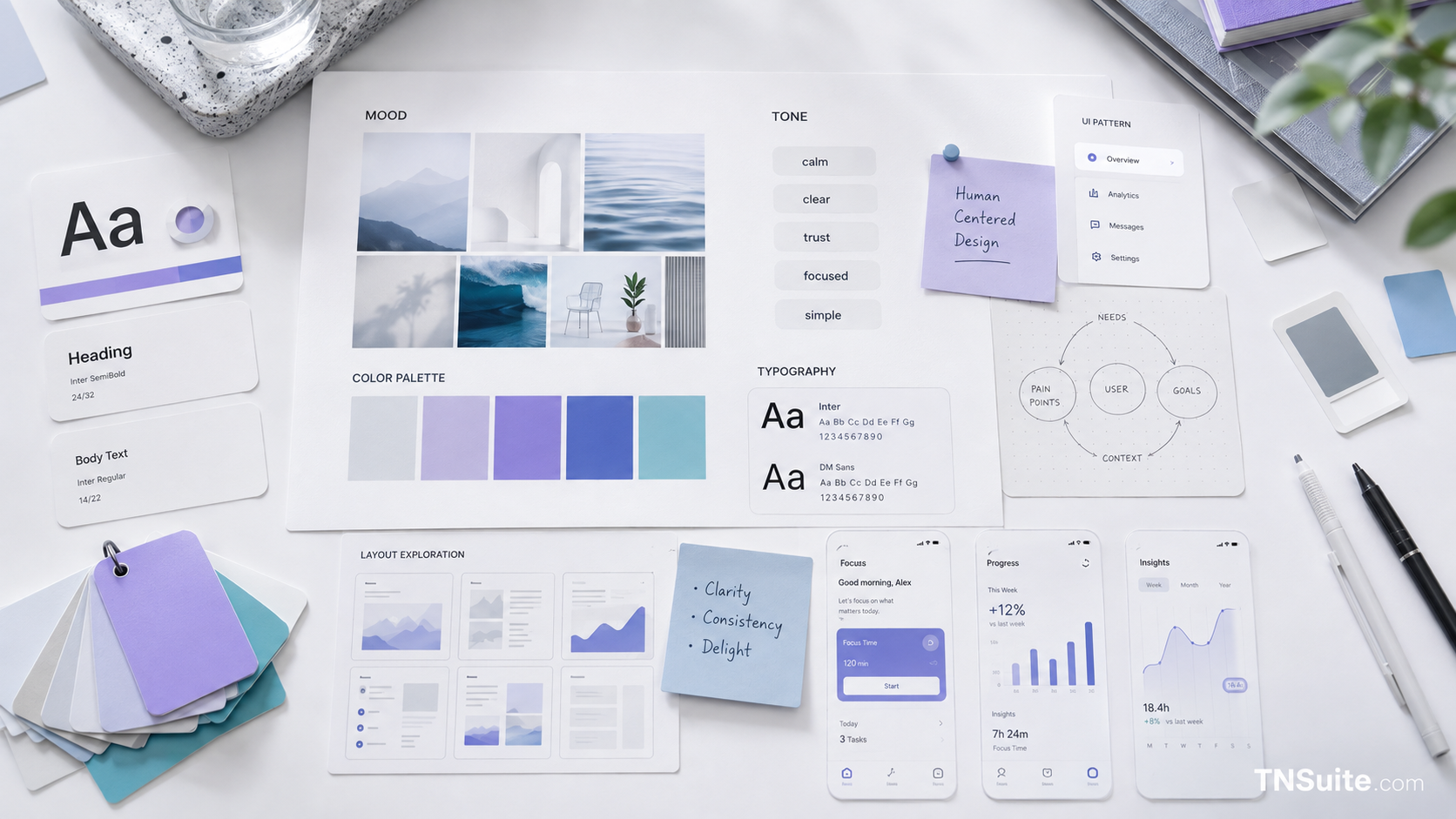
Mood is the overall feeling; tone is how the product communicates in each situation.
- Mood = perception
- Tone = expression
- Visuals and microcopy align
Five Data Sources
Gather business goals, user psychology, brand DNA, usage context, and risk level.
- Business
- User
- Brand
- Context
- Risk
Create a mood matrix
Use primary mood, supporting mood, voice, and anti-mood instead of a vague adjective.
- Primary
- Supporting
- Voice
- Anti-mood
Translate into UI decisions
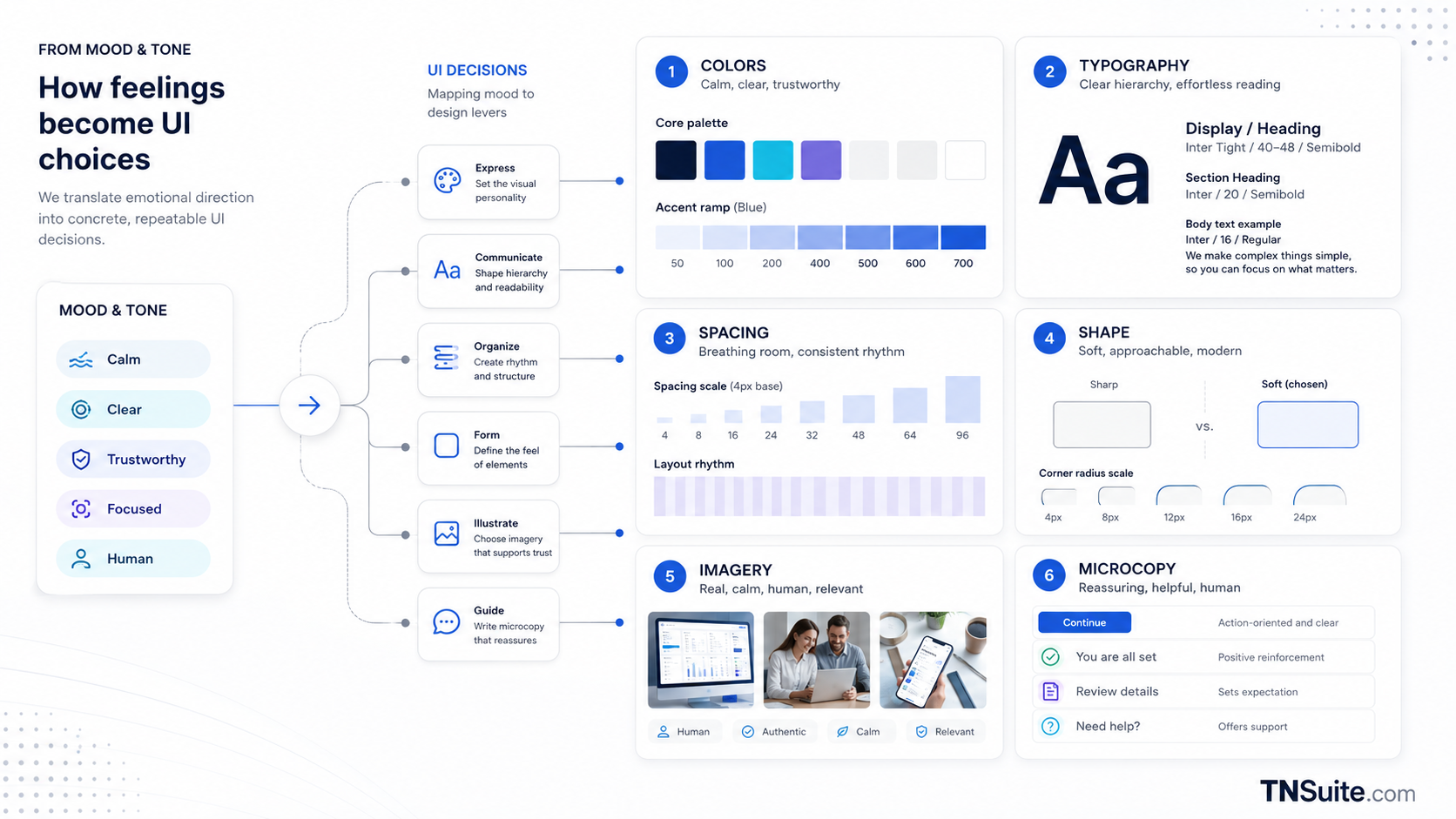
Map keywords to color, typography, spacing, shape, image, motion, and microcopy.
- Color
- Type
- Shape
- Image
- Motion
- Voice
Testing Bad Scenarios
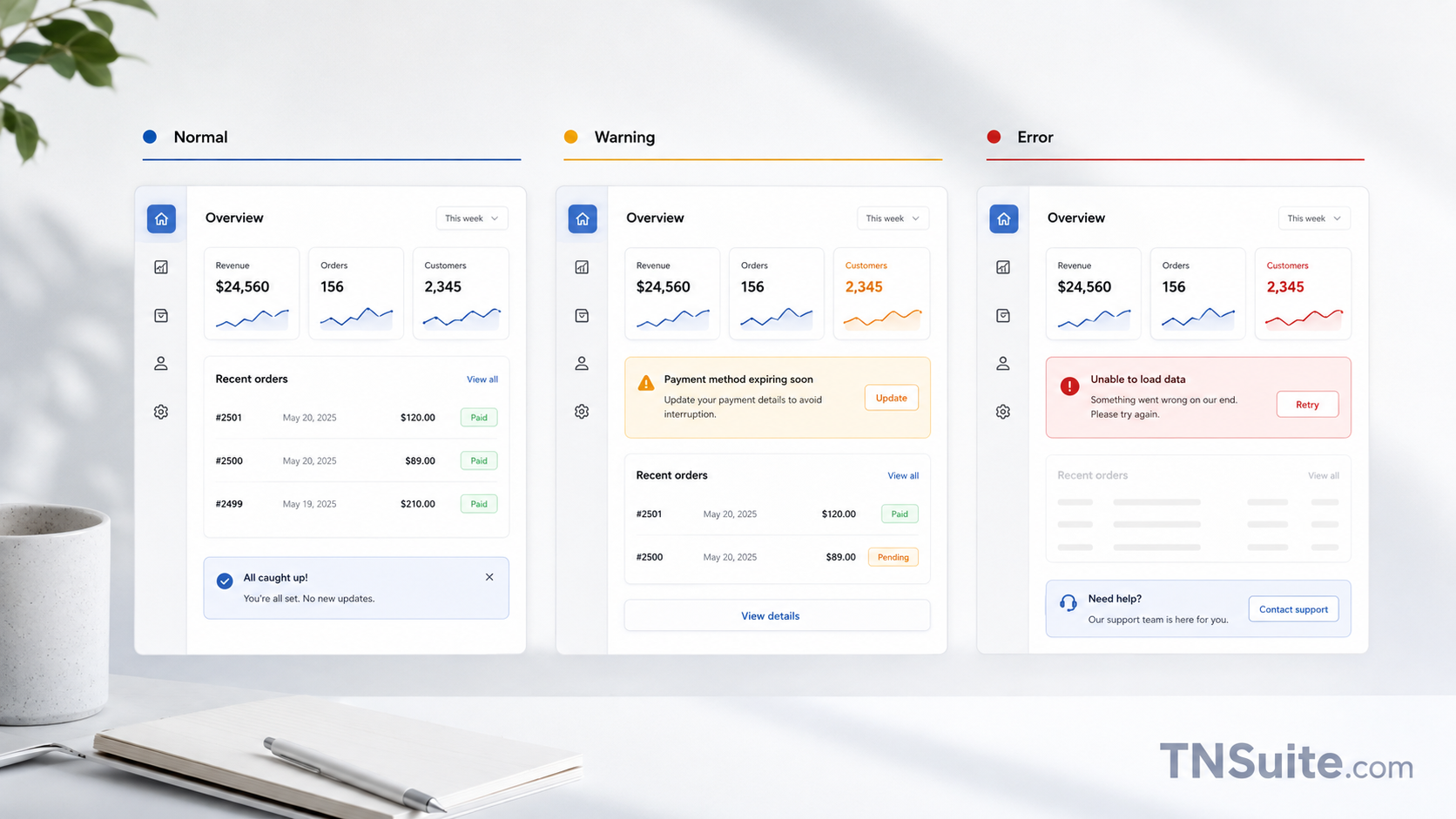
Mood and tone must be appropriate in error, warning, denied permission, and critical action.
- Success
- Empty
- Error
- Warning
- Permission
Moodboard Must Be Implementable
Reference images need annotation, rationale, token, UI example, and do/don't.
- Rationale
- Annotation
- Token
- Example
- Do and don't
Practical Checklist
Frequently Asked Questions
Can multiple moods be used?
There can be a primary mood and supporting ones, but they must be along the same axis.
Does the moodboard need real UI?
Yes; it needs components, layout, and state to demonstrate implementation capability.
How to know if the mood is right?
Test for feel, tasks, and reliability, not just ask if it looks good.
Conclusion
Mood and tone should not be chosen based on preference; they are the result of business, user, brand, context, and risk.
Start with a small scope, have an owner, criteria for completion, and a way to measure. This approach helps turn knowledge into verifiable operational changes.
Next Steps for Implementation
Write a design statement including the main emotions, user benefits, and what to avoid.
View more expert articlesKeywords